
Visa Photo Creator
Make a single visa-style photo image at an exact millimetre size, cropped to the right shape and cleaned for a uniform background. Everything runs in your browser.
- No upload — processed on this device
- No account needed
- Free to use
Keep going
The natural next step
The details
How it works and what to expect
How it works
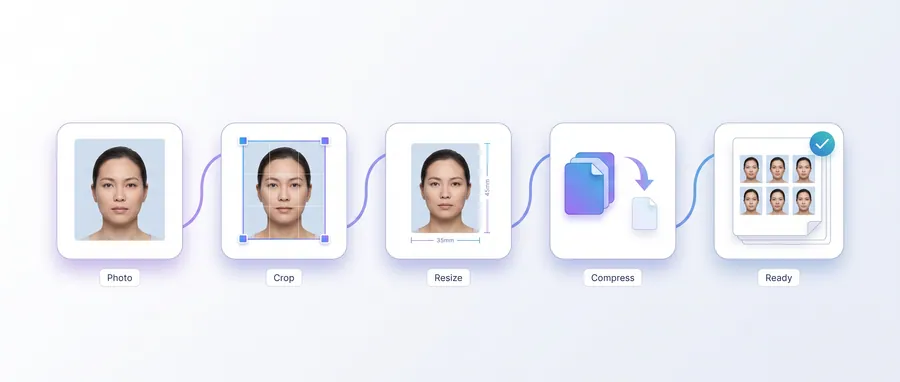
- Upload a front-facing photo with even, natural light.
- Pick a visa photo size and drag the crop around your face.
- Choose to clean the backdrop to white, then set the output format and quality.
- Download one image at exactly the right pixel size and submit it with your application.
Important
Visa photo rules differ by country, embassy and sector (tourist, business, student). The sizes listed here are common examples, not official requirements — always check the embassy's own photo guide before submitting.
Privacy
The photo is processed entirely on this device and is never uploaded to a server.
Practical guidance
Using this tool well
When it is the right answer, what tends to go wrong, and what to check before you rely on the result.
Why use it
Visa photos specify an exact print size and usually a plain background. Producing the image at the right millimetre dimensions in one step avoids scaling a differently-shaped photo into place.
Typical situations
- A visa application asks for a photo at a stated size in millimetres.
- Your portrait is the right subject but the wrong shape.
- You need a clean uniform background behind the photo.
Common problems
Different countries specify different sizes
The tool builds a photo at the size you enter. Check the current requirement for the destination country before printing.
Cropping moved the subject off-centre
Review the crop before saving — the tool crops rather than stretches, so you decide which part survives.
The background is uneven
A uniform background in the source photo gives a uniform result. The tool cleans the backdrop you provide; it does not invent a new scene.
Check before you submit
- Verify the output dimensions in pixels against the printed size you need.
- Confirm the background reads as plain and even when printed.
- Print at 100% scale and measure one copy before printing the rest.
Guided
This tool inside a workflow
A ready-made sequence that solves a whole job — this tool is one step in it.
Cyber café & service centre workflows
The tools a cyber café or online service centre runs all day: print customers' passport and ID photos, prepare documents for printing, combine application pages, and keep the queue moving without uploading anyone's files.
Passport, visa & ID photo workflow
Make compliant-style photo sheets, exact-size files for online forms, and clean prints — passport, visa and ID photo requirements all start the same way: a decent portrait and the correct dimensions.