
Passport, visa & ID photo workflow
Make compliant-style photo sheets, exact-size files for online forms, and clean prints — passport, visa and ID photo requirements all start the same way: a decent portrait and the correct dimensions.
- Passport / Visa / ID / Photo Application
- Personal / Everyday
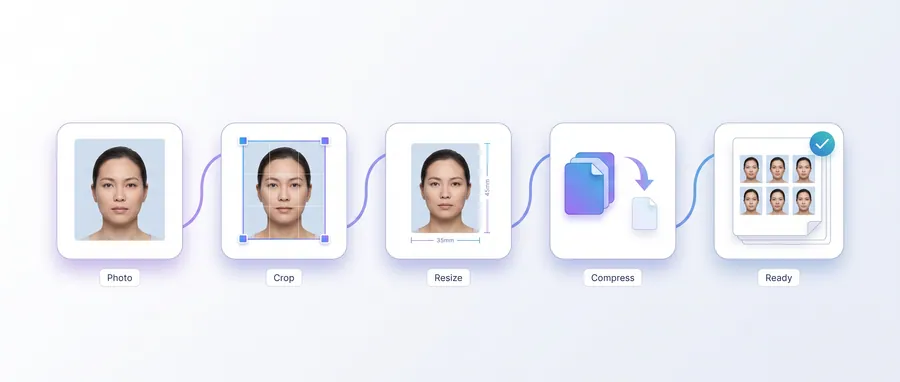
The journey
Follow it step by step
3 guided steps, every one running in your browser. Start with the first and work your way down.
Step 1 of 3Start here
Choose the right creator
Start from how the photo will be submitted. Use Passport Photo Creator for a printable passport-style sheet, Visa Photo Creator for visa paperwork and ID Photo Creator for ID cards. Each lets you crop the face into the frame before export.
Step 2 of 3
Match the submission format
Online form? Use Exact KB Photo when a file-size limit exists (e.g. 20 KB) and Exact Size Photo when pixel or millimetre dimensions are stated. Clean a coloured or cluttered backdrop with White Background; remove it entirely with Transparent Background.
Step 3 of 3
Print or submit
For print shops, Photo Sheet / Photo Print Layout produce a paper-size PDF; DPI Checker confirms the image is sharp enough for the requested print size.
Frequently asked questions
Are the sizes official for my country?
Not by default. Requirements differ by authority and change. The tools provide common starting sizes — always confirm the exact size, background, head height and file limits with the authority you are applying to.
How do I keep the photo under a KB limit?
Exact KB Photo lets you target a specific file size and shows the resulting dimensions, so you can meet a stated limit without guesswork.
Do I need photo paper?
For passport/visa/ID photos, matt or glossy photo paper is usually expected. The print layout tools set the page to your chosen paper size; print at actual size without scaling.