
ID Photo Creator
Build an ID, permit or badge photo sheet at an exact card-photo size, with a clean background, ready to print. Fully in your browser.
- No upload — processed on this device
- No account needed
- Free to use
Keep going
The natural next step
The details
How it works and what to expect
How it works
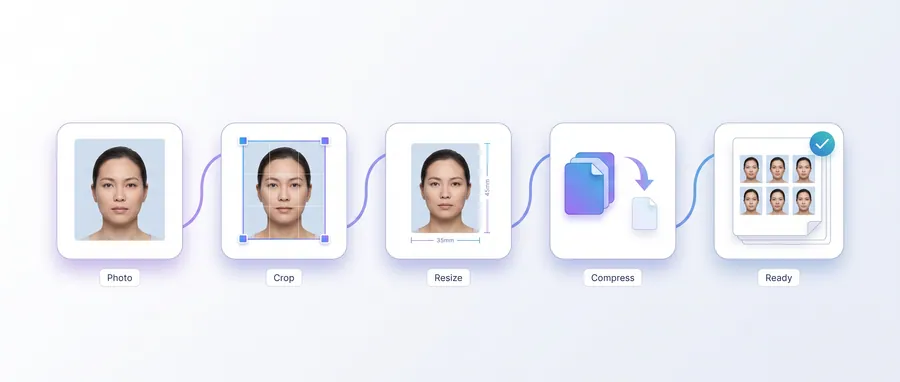
- Upload a head-and-shoulders photo.
- Choose an ID photo size (e.g. 35 × 45 mm) and crop the frame.
- Clean the backdrop to white if needed, choose the paper, then create the sheet.
- Print at actual size and cut out the photos.
Verify dimensions
ID card photo sizes vary by organisation and country. The presets are common sizes, not official specifications — confirm the exact requirements with the agency or company issuing the card before printing.
Privacy
Processing happens in your browser on this device. Your photos never leave your computer.
Practical guidance
Using this tool well
When it is the right answer, what tends to go wrong, and what to check before you rely on the result.
Why use it
ID, permit and badge photos are card-sized and unforgiving about proportions. Building the sheet at an exact card size means one print run gives you correctly dimensioned copies.
Typical situations
- You need a photo for a staff badge, student ID or driving permit.
- Several identical copies are required for a paper form.
- A portal wants a card-shaped photo at exact pixel dimensions.
Common problems
Card sizes differ between issuing bodies
Enter the size you were actually given. The tool does not assume which standard your issuer follows.
Copies on the sheet are too small after printing
Print at full scale on the paper size the sheet expects — scaling down shrinks every copy with it.
Photo looks correct on screen but soft in print
Screen viewing hides softness. Check sharpness at full resolution before committing a sheet to the printer.
Check before you submit
- Confirm the sheet's page size matches the paper in your printer.
- Measure one printed copy against the card dimension you were given.
- Check the background and framing against your issuer's guidance.
Guided
This tool inside a workflow
A ready-made sequence that solves a whole job — this tool is one step in it.
Cyber café & service centre workflows
The tools a cyber café or online service centre runs all day: print customers' passport and ID photos, prepare documents for printing, combine application pages, and keep the queue moving without uploading anyone's files.
Passport, visa & ID photo workflow
Make compliant-style photo sheets, exact-size files for online forms, and clean prints — passport, visa and ID photo requirements all start the same way: a decent portrait and the correct dimensions.
Job & exam application documents
Applications usually demand a photo at an exact size, a signature, and every page combined into one tidy PDF. This workflow covers the whole loop in your browser — no uploads, no account.
Print & booklet preparation workflow
From a plain PDF or photo to a printed booklet, A4 sheets, photo prints and multi-page setups — with page-layout tools that re-impose without rasterising your source pages.