
Passport Photo Creator
Turn a normal photo into a passport-style photo sheet — correct millimetre size, cropped to the right shape, printed on one page. All in your browser.
- No upload — processed on this device
- No account needed
- Free to use
Keep going
The natural next step
The details
How it works and what to expect
How it works
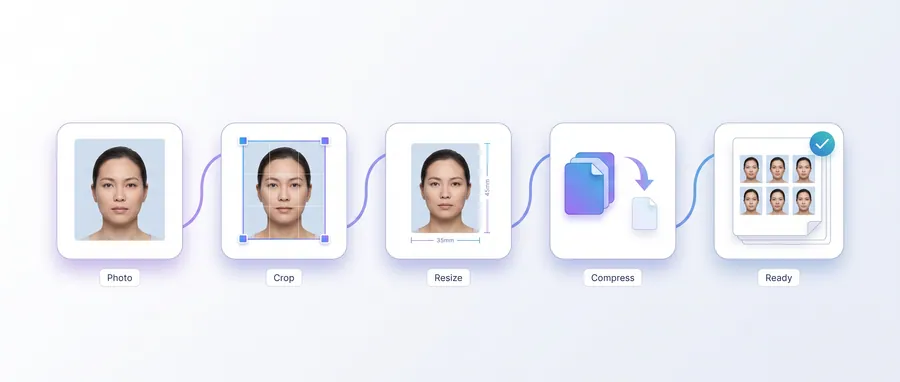
- Upload a photo of yourself (face front-on, even light).
- Choose a photo size and crop the frame around your face.
- Optionally clean the backdrop to white, pick a paper and the number of photos per page.
- Download the PDF sheet and print it. Cut along the printed guides.
Before you apply
Passport specifications change frequently and depend on the issuing authority. The sizes offered here are common starting points, not official specifications — confirm each requirement (size, background, head height, face proportion) with the authority you are applying to before printing your final photos.
Your photo stays on this device. Nothing is uploaded.
Printing tips
- Print at 100% scale with your printer set to “actual size” (no shrink-to-fit).
- Use matt or glossy photo paper as required by the application.
- The PDF page is exactly the paper size you picked (default A4).
Practical guidance
Using this tool well
When it is the right answer, what tends to go wrong, and what to check before you rely on the result.
Why use it
A passport photo fails on dimensions, background and head placement long before it fails on the face itself. The tool handles the millimetre geometry and the printable sheet, so your effort goes into the source photo.
Typical situations
- You need passport photos today without booking a photo booth.
- An application portal asks for a photo at an exact millimetre size.
- You want several copies on one sheet to print at home.
Common problems
The tool is not an authority on the specification
Requirements differ by country and change over time — head height, background tone, glasses and expression all vary. The tool gives you a correct starting geometry; the issuing authority decides whether it is accepted.
Printed photos came out the wrong size
Print at 100% scale. “Fit to page” or “shrink to fit” silently changes the size and invalidates the measurement.
The source photo is too small for the target size
Enlarging a small crop produces a soft print. Start with the largest, sharpest photo you have and crop down.
Check before you submit
- Measure one printed copy with a ruler against the stated size.
- Confirm the background and head position against your authority's current guidance.
- Print on decent paper and check the result at arm's length, not on screen.
Questions
Frequently asked questions
Are these official passport sizes?
No — the tool offers common starting sizes but does not validate against official specifications. Always confirm size, background and head-height requirements with the issuing authority.
Can I export a printable sheet?
Yes. The photo sheet output is a PDF on your chosen paper size (A4 by default) — print at 100% scale, never shrink-to-fit.
Read next
Guides and reference
The reading that goes with this tool — a walkthrough of the job, and the terms it uses.
Terms used on this page
Defined in the site glossary, with the practical context that matters here.
Guided
This tool inside a workflow
A ready-made sequence that solves a whole job — this tool is one step in it.
Cyber café & service centre workflows
The tools a cyber café or online service centre runs all day: print customers' passport and ID photos, prepare documents for printing, combine application pages, and keep the queue moving without uploading anyone's files.
Passport, visa & ID photo workflow
Make compliant-style photo sheets, exact-size files for online forms, and clean prints — passport, visa and ID photo requirements all start the same way: a decent portrait and the correct dimensions.