
Office & everyday PDF documents
The day-to-day PDF jobs in any office: combine, reorganise, rotate, extract, convert to images or text, and sign — all in the browser with no tool installs.
- Office / Documentation
- Personal / Everyday
document.pdf
Pages, order & rotation on one screen
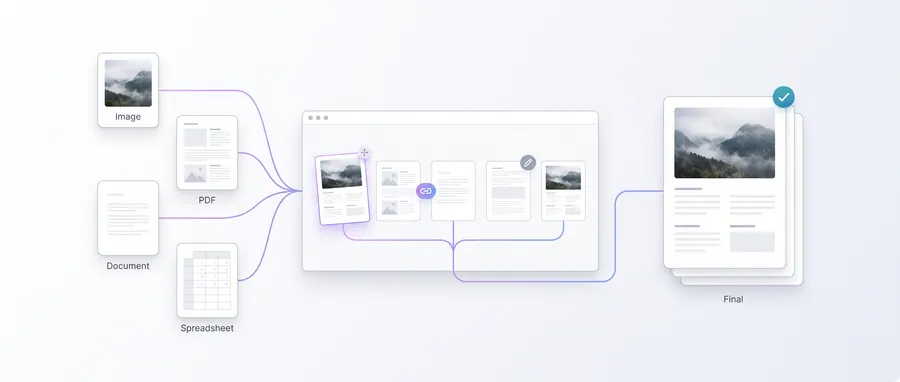
The journey
Follow it step by step
3 guided steps, every one running in your browser. Start with the first and work your way down.
Step 1 of 3Start here
Build a clean PDF
Convert scans and photos with Image to PDF, then Merge PDFs, Reorder pages, Rotate mis-scanned pages and Extract the ones you need before sending anything out.
Step 2 of 3
Repurpose pages
Turn report pages into pictures with PDF to Images, or pull the text layer with PDF to Text when you need to search or quote a document.
Step 3 of 3
Sign & send
Create a signature with Signature Maker, resize it to the needed profile with Signature Resizer, and place it on the page with Sign a PDF.
Frequently asked questions
Is there a file size limit?
Most PDF tools accept up to 100 MB per file and process everything on your device; very large documents simply take longer.
Can I split a PDF by page ranges?
Yes — Split PDF and Extract Pages both work from page ranges; Reorder lets you change the order afterwards.
Are office documents kept private?
Yes. Every PDF and image tool in this workflow processes locally and never uploads your files.